Mutant Plants Base Defense How to Redeem Codes
Exact Shop path, case-sensitive entry tips, and fixes when Verify rejects a code.
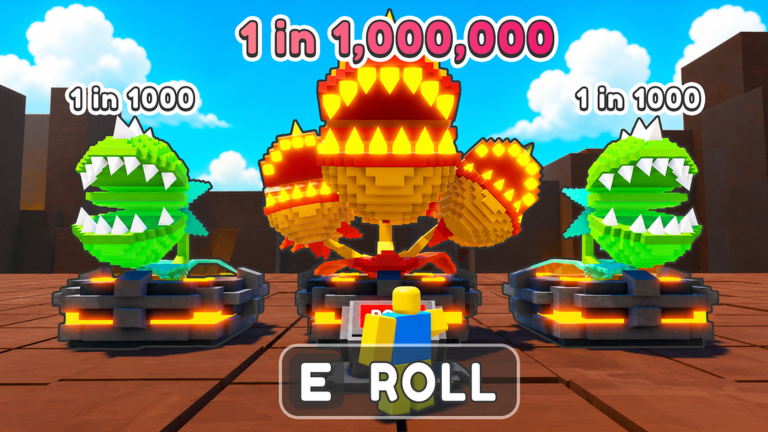
Redeem path: Shop → Codes → Verify
Mutant Plants Base Defense keeps promo entry inside the Shop rather than a separate lobby panel. That design choice trips up players who hunt for a floating Codes button on the main HUD. The reliable path is:
- Launch the experience from the Roblox game page.
- Open Shop from the in-game menu.
- Select the Codes section.
- Enter one code exactly as listed on Active Codes.
- Press Verify.
- Confirm the reward landed in gems, fruits, or grenades before moving to the next string.
Return to the Codes Hub if you need the broader redeem priority order. Use How to Get New Codes after patches when you are hunting fresh strings instead of redeeming the known set.
Why case sensitivity matters
Every documented code for August 2026 is case-sensitive. RELEASE is not the same as release. BUGFIX56954 fails if you swap digits or insert a space. Treat each character as intentional:
- Uppercase letters stay uppercase.
- Digits stay in the published order.
- No spaces before or after the string.
- No quotes or markdown leftovers from wiki copy-paste.
If you copy from Discord or a chat log, paste into a plain text field first, strip invisible characters, then paste into the Codes box. Roblox chat formatting occasionally introduces odd whitespace that the Verify button rejects.
What each reward type looks like after Verify
Gems
Gem rewards from RELEASE, BUGFIX000, BUGFIX999, BUGFIX785, and RELEASE1 increase your spendable currency. Open the Upgrade Zone afterward and decide whether Damage, Range, Attack Speed, Diamond Drop, Wins, Luck, or Unit Slots needs the injection. Caps remain Damage 20, Range 20, and 25 for the other tracks. Details live on Base Upgrades and Gems and Currency.
Fruits
Fruit rewards appear as consumables: Venom, Void, Shadow, or Reversion. Do not panic-apply them. Park the fruit, confirm which plant is your long-term merge target, then follow Fruits and Mutations. Reversion is especially useful when you need an undo path after a bad mutation experiment.
Grenades
UPD1665452 and UPD6512356 add Frozen and Flame Grenades. These are secret-tier AoE tools. Confirm inventory count after Verify, then wait for a wave where AoE actually matters. Timing notes are on How to Use Grenades and Grenades.
Common Verify failures and fixes
Invalid or failed code
- Retype manually instead of trusting a messy paste.
- Confirm you have not already redeemed that exact string on the same account.
- Check Active Codes for removals after a patch.
- Wait a few seconds and retry once if the shop UI was still loading.
No visible reward
- Close and reopen inventory panels.
- Check gems separately from fruit and grenade bags.
- Make sure you did not misread a success toast and assume the wrong reward type.
- Use the Loadout Checklist to verify what you own before spending.
Shop button missing or blocked
- Finish any forced tutorial prompts first.
- Rejoin the server if UI elements failed to load.
- Confirm you are in Mutant Plants Base Defense and not a similarly named experience.
Redeem order that protects progression
Redeeming is not the same as spending. A smart sequence looks like this:
- Redeem all gem codes and note the new total.
- Redeem fruit codes and leave fruits unused until merges settle.
- Redeem grenade codes and reserve them for dense waves.
- Open Gem Spending Planner before shopping upgrades or rolls.
- Apply fruits only to keeper plants after reviewing Fruits Priority.
New players should finish Getting Started before converting every gem into rolls. Luck upgrades help rolls, but empty Unit Slots and weak Damage ranks lose waves regardless of how many plants you pull.
Multiplayer and account notes
Mutant Plants Base Defense is an online multiplayer Roblox experience. Codes are generally claimed per account, not shared across every friend in the server. Each player should open Shop on their own client and Verify personally. Do not trade account logins to “help” someone redeem; that creates security risk far beyond a missed 200-gem code.
If you play on multiple devices, redeem once, then sync by rejoining. Rewards follow the Roblox account, not the device.
After you redeem: next systems to touch
Codes only matter if they feed the real loops:
- Roll and merge with How to Merge Plants.
- Mutate keepers with Fruits.
- Stabilize defense with How to Survive Waves.
- Track patch changes on Updates Hub.
Community links and the official Roblox page sit on the Wiki / Links page if you need the experience URL or Discord pointer for announcements.
Related codes pages
Redeem carefully, verify inventory, then spend with a plan instead of burning rewards on impulse rolls.
Frequently Asked Questions
Quick answers to the most common questions.
Where do I redeem Mutant Plants Base Defense codes?
Open Shop, go to Codes, enter the exact string, and press Verify. There is no separate lobby codes button.
Why does Verify say invalid when the code looks right?
Usually wrong casing, hidden spaces, an already claimed code, or an expired string removed after a patch.
Can my whole server share one code entry?
No. Each Roblox account must open Shop and Verify on its own client.
Should I spend rewards immediately after Verify?
Gems can wait for an upgrade plan. Fruits and grenades should usually stay unused until merges and wave timing are ready.